
Nimbus Mining
Every trip from the pit to the depot, counted, weighed and paid.
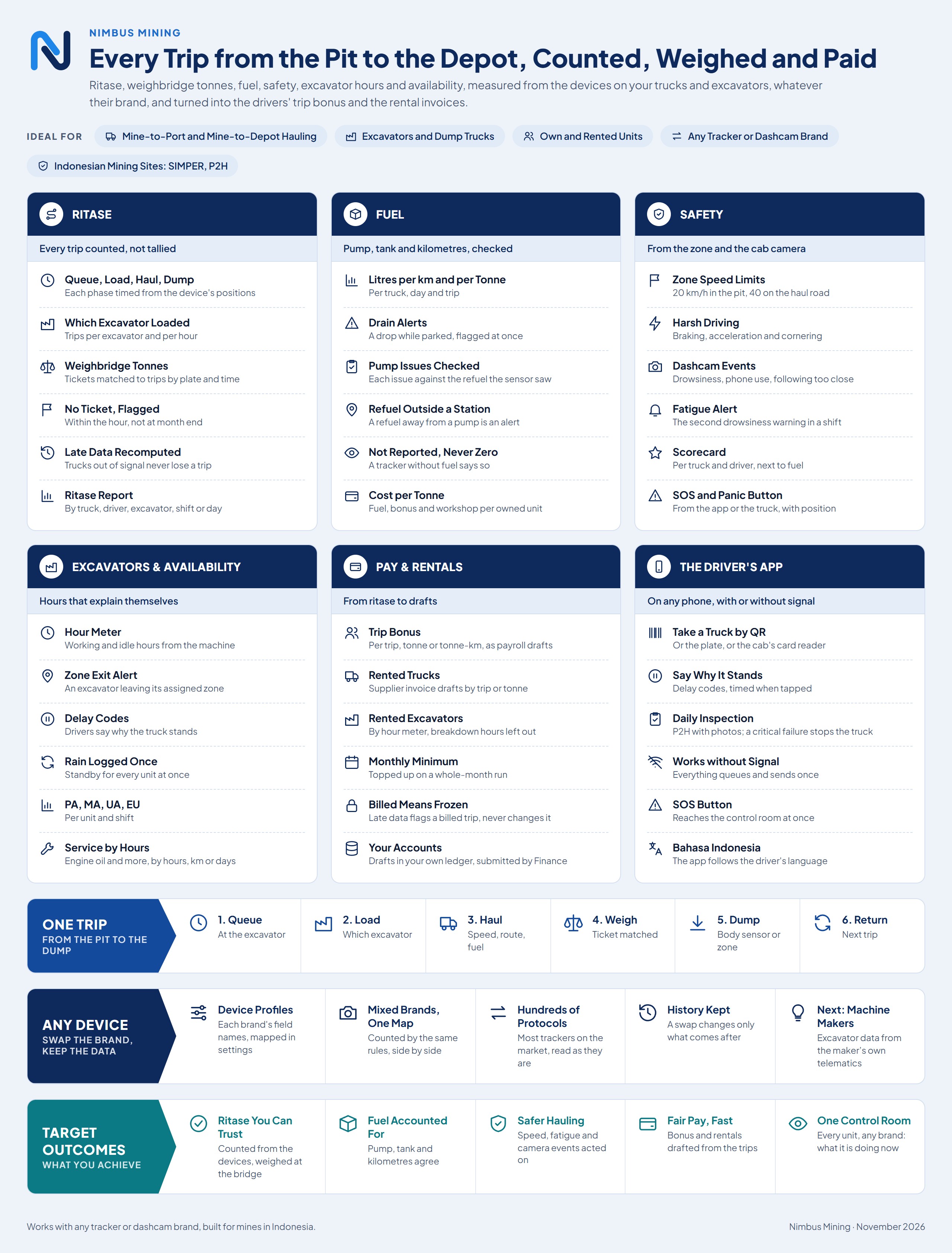
Ritase, weighbridge tonnes, fuel, safety, excavator hours and availability, measured from the devices on your trucks and excavators, whatever their brand, and turned into the drivers’ trip bonus and the rental invoices.
How it flows
- Queue
- Load
- Haul
- Weigh
- Dump
- Return
The problem
Trips tallied by hand
The checker’s count, the weighbridge and the contractor’s invoice never quite agree.
Fuel that nobody can account for
Litres issued at the pump and litres in the tank are never compared.
One tracker brand, one portal
Each device maker has its own platform, and switching brands means starting over.
What it does
Ritase
Every trip counted from the devices
Each haul cycle is detected from GPS and split into queue, load, haul, dump and return, with the excavator that loaded it.
Dumps confirmed by the body sensor
A dump counts when the tipper body goes up; trucks without the sensor fall back to time in the dump zone.
Weighbridge tonnes on each trip
Tickets are matched to trips by plate and time; a trip with no ticket is flagged within the hour.
No trip lost to a dead zone
Devices store data out of signal; trips are recomputed from the device’s own time when it arrives.
Ritase report
Trips and tonnes by truck, driver, excavator, shift or day, with an export the checker can compare.
Fuel
Fuel per km and per tonne
Tank readings smoothed against sloshing on rough roads; refuels and drains detected, each drain an alert.
Pump issues checked against the tank
Litres issued at a fixed or mobile station are matched with the refuel the sensor saw; a gap or a refuel away from a station is an alert.
Safety
Speed limits per zone
For example 20 km/h in the pit and 40 on the haul road, with harsh braking, acceleration and cornering.
Dashcam and fatigue events
Drowsiness, phone use and following too close from the cab camera; repeated drowsiness in a shift raises a fatigue alert.
Scorecard per truck and driver
A driving score per shift, shown next to fuel per km.
Excavators
Excavator hours and zones
Hour meter, working and idle time, trucks loaded per hour, and an alert when it leaves its zone. The loading zone moves with the excavator.
Availability
Delay codes and PA, MA, UA, EU
Drivers say why the truck stands, rain is logged once for the site, and availability is reported per unit and shift.
Pay and rentals
Trip bonus and rental invoices from ritase
Drivers’ trip bonus by trip, tonne or tonne-km as payroll drafts; rented trucks and excavators as supplier invoice drafts.
Cost per tonne for owned units
Fuel, the driver’s pay and workshop costs per trip and per tonne.
Any device
Not tied to one device maker
Each tracker or dashcam brand is mapped in a device profile, in settings. Swap the brand and the history stays; a device that cannot report something says so, never zero.
Workshop
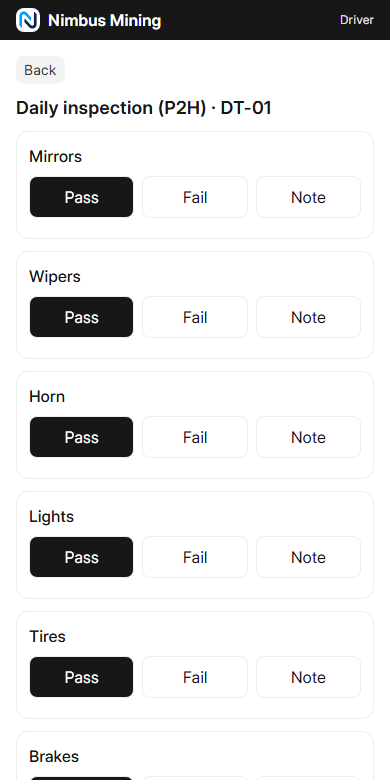
Inspections and service by hours
P2H with photos; services fall due by engine hours, km or days and open a draft work order.
Control room
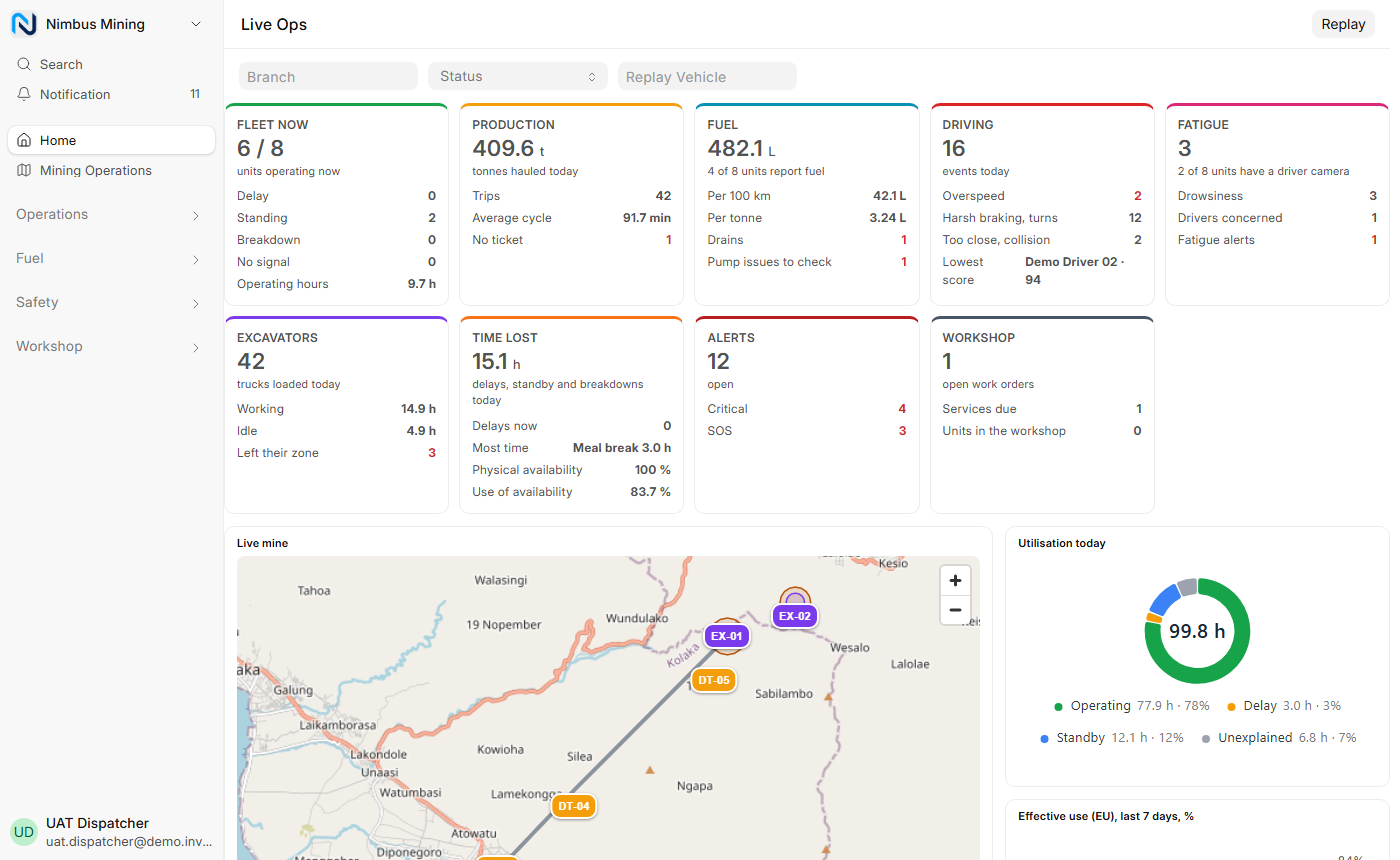
Live Ops
Every unit on the mine map, what it is doing now, and today’s trips, tonnes, fuel, safety and lost hours.
Drivers
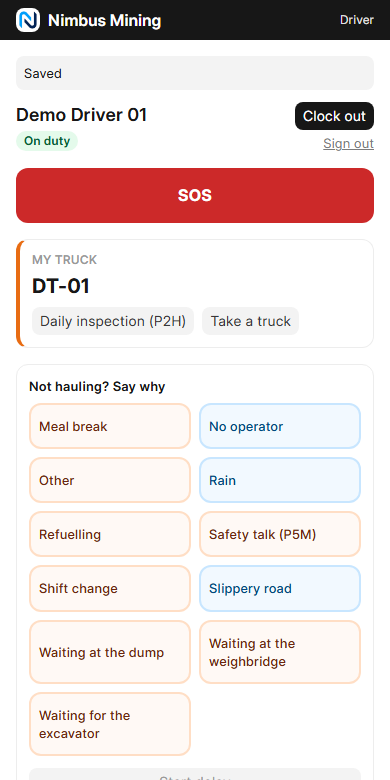
Driver phone app
Take a truck by QR, give delay reasons, do the P2H and press SOS, with or without signal, in Bahasa Indonesia or English.
Who uses it
At the desk
- Finance
- Check trip bonus and rental drafts, then submit them.
- Dispatcher
- Run the shift from the control room and chase missing tickets.
- Mine manager
- Watch tonnes, fuel, safety and availability across the site.
On the phone
- Fuel attendant
- Log each fuel issue at the station, with a photo of the meter.
- Driver
- Take a truck, say why it stands, inspect it and call for help.
Desk and phone
- Mechanic
- Service units by hours and release them back to work.
On the phone
Works with the rest of the suite
- Nimbus ERP
- sends to Draft supplier invoices for rented trucks (by trip or tonne) and excavators (by hour meter), for Finance to submit
- Nimbus HRMS
- exchanges with Drivers come from the employee list; their trip bonus goes back as draft payroll additions
Also connects to
- GPS trackers: Positions, fuel, body sensor, harsh driving and dashcam events from many tracker and dashcam brands, mapped in device profiles
Coming next
Planned work. We share it so you can plan with us; we don’t promise dates.
- Excavator data from the machine maker’s own telematics
- A direct link to the weighbridge
- Fit-to-work check at clock-in
- Hazard and near-miss reports from the driver app
Downloads
See it with your own processes
We walk you through the app with example data that looks like your business, then plan a pilot with one team or branch.