
Nimbus eProcurement
Buy at the right price, from the right vendor, with a clear trail.
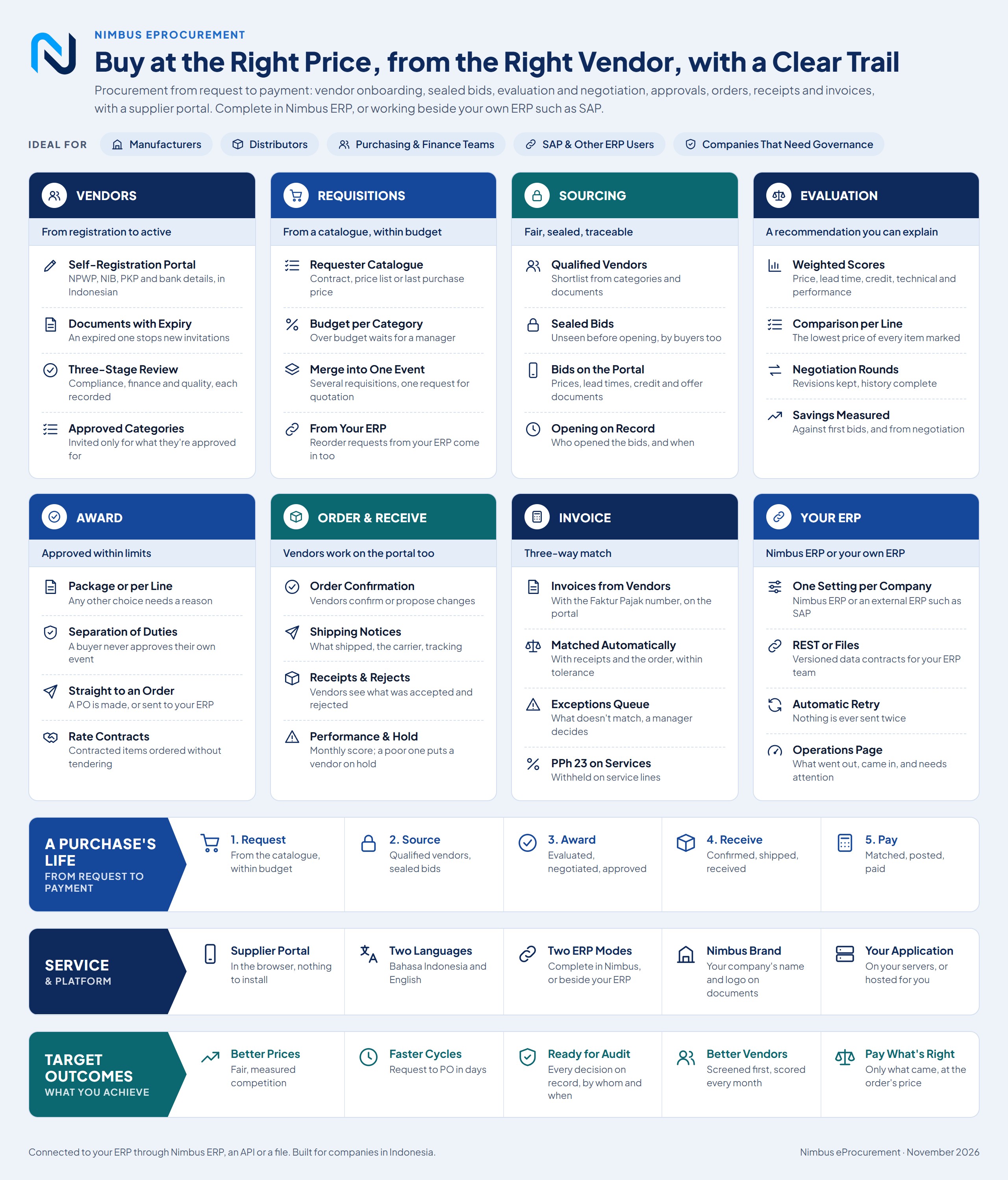
Procurement from request to payment: vendor onboarding, sealed bids, evaluation and negotiation, approvals, orders, receipts and invoices, with a supplier portal. Complete with Nimbus ERP, or beside the ERP you already run, such as SAP, Oracle or Odoo, through an API or file exchange.
How it flows
- Request
- Source
- Award
- Receive
- Pay
The problem
Quotes by email, compared in spreadsheets
Nobody can prove who saw a price first, and the reason for the winner is lost.
Vendors without current documents
NPWP, NIB and PKP checked once, then forgotten.
Invoices matched by hand
Paid before the goods came, or at another price.
What it does
Vendors
Vendors register themselves
Vendors sign up on the portal with NPWP, NIB, PKP status and bank details, in Indonesian or English.
Three-stage review
Compliance, finance and quality each approve, on the record; vendors are invited only for approved categories.
Documents with expiry
An expired document stops new invitations until the vendor uploads a current one.
Monthly vendor scorecards
On-time delivery, quality and price adherence scored every month; a poor score puts the vendor on hold.
Requisitions
Requests from a catalogue, within budget
Requesters pick from a catalogue with contract or last prices; over budget, the request waits for a manager.
Many requests, one tender
Merge requisitions into one request for quotation. Reorder requests from your ERP come in too.
Sourcing
Sealed bids
Bids stay unseen, by buyers and managers too, until the opening time; who opened them, and when, is recorded.
Supplier portal
Vendors bid with prices, lead times, credit terms and offer documents, in the browser with nothing to install.
Evaluation
A recommendation you can explain
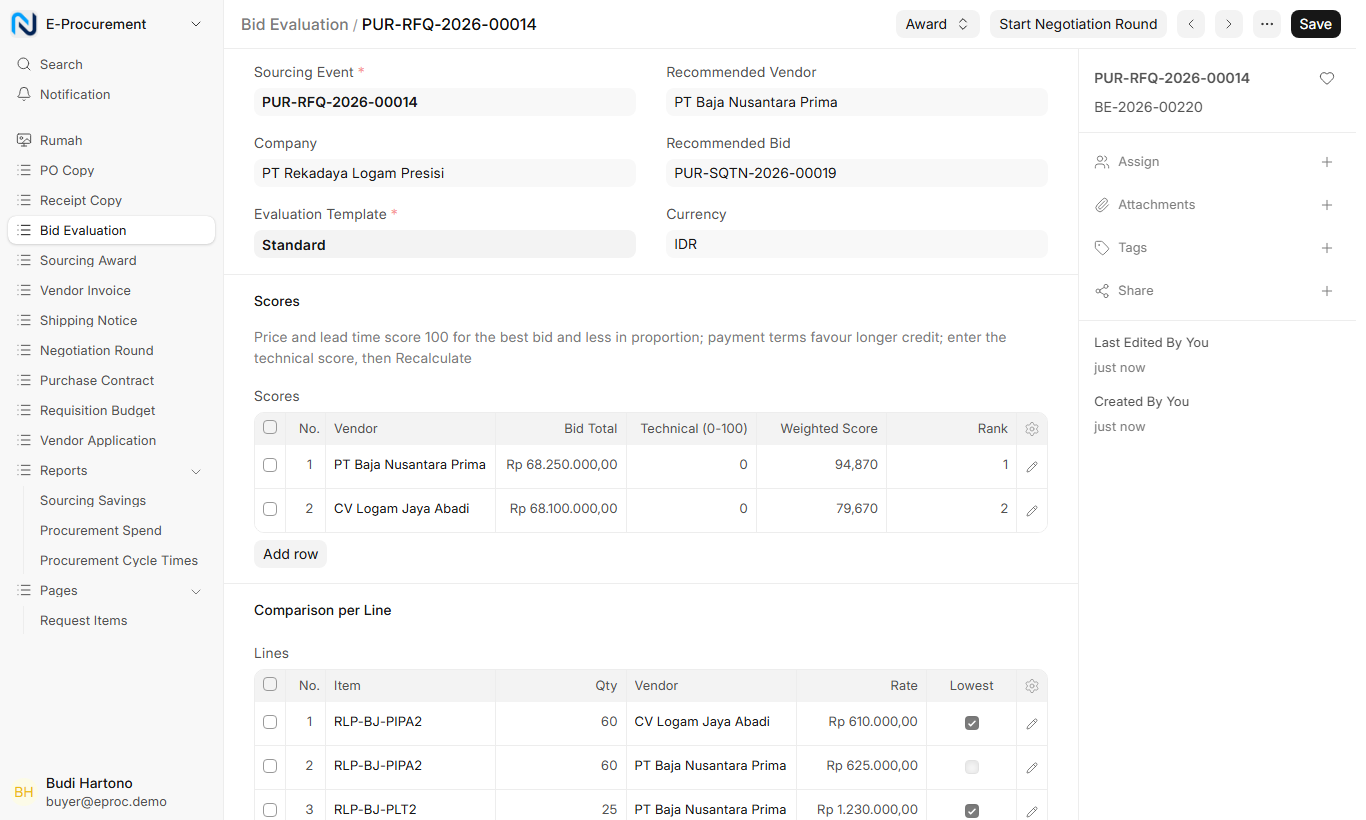
Weighted scores on price, lead time, credit, technical and vendor performance, compared line by line.
Negotiation rounds
Ask for revised bids; every revision is kept and the savings against first bids are measured.
Award
Approval within limits
Award per package or per line; above the buyer’s limit a manager approves, never the buyer of the same event.
Rate contracts
Contracted items are ordered straight away without a tender, with reminders before the contract ends.
Orders
Vendors confirm and ship on the portal
Order confirmation or proposed changes, shipping notices with tracking, and accepted and rejected quantities.
Invoices
Three-way match
Vendor invoices with the Faktur Pajak number are matched with the order and receipts; mismatches go to an exceptions queue.
Your ERP
Works with the ERP you already run
Complete with Nimbus ERP, or beside SAP, Oracle, Odoo or another ERP through an API or file exchange, chosen per company.
Nothing sent twice
Every message to and from the ERP is logged and retried automatically; an operations page shows what needs attention.
Reports
Spend and savings
Spend by category, vendor and requester, savings against first bids, and cycle times from request to order.
Who uses it
At the desk
- Finance
- Settle matched invoices and handle exceptions.
- Vendor reviewer
- Check and approve new vendors’ documents.
- Purchase manager
- Approve requests over budget and awards over the limit.
- Buyer
- Run tenders, evaluate bids and negotiate.
- Requester
- Ask for what the team needs, from the catalogue.
Desk and phone
- Vendor
- Register, bid, confirm orders and invoice on the portal.
Works with the rest of the suite
- Nimbus ERP
- exchanges with Items, vendors and requisitions in; awards become purchase orders; receipts, invoices and payment status flow back
- Nimbus Insights
- sends to Read-only nightly copy into dashboards
Also connects to
- SAP, Oracle, Odoo and other ERPs: Vendors, items, purchase orders, receipts, invoices and payment status, by API or file exchange
Downloads
See it with your own processes
We walk you through the app with example data that looks like your business, then plan a pilot with one team or branch.